Git Authentication
This page documents Personal Access Token (PAT) authentication. For new installations, use GitHub App authentication instead — see GitHub App Setup. PATs are only needed for legacy installations that have not migrated to GitHub Apps.
Summary
Konstruct requires a Personal Access Token to authenticate with the Git provider API. The token is used to manage git repository configurations and teams. Refer to the details below to create a token for your preferred git provider.
GitHub Tokens
Log in to your GitHub account and issue a Personal Access token using the list of scopes below. With the manually generated token, provide it via environment variable using export GITHUB_TOKEN=ghp_xxxxxxxxxxxxxxxx.
If you have never connected to GitHub using SSH be sure to add your token to the known host using the command ssh-keyscan github.com >> ~/.ssh/known_hosts. This step prevents ssh errors.
If you get either the ssh: handshake failed: knownhosts: key is unknown error or the known_hosts file does not exist error when running the previous command, it's because you are missing an ~/.ssh folder, run mkdir ~/.ssh and try the ssh-keyscan command again.
GitHub Token Scopes
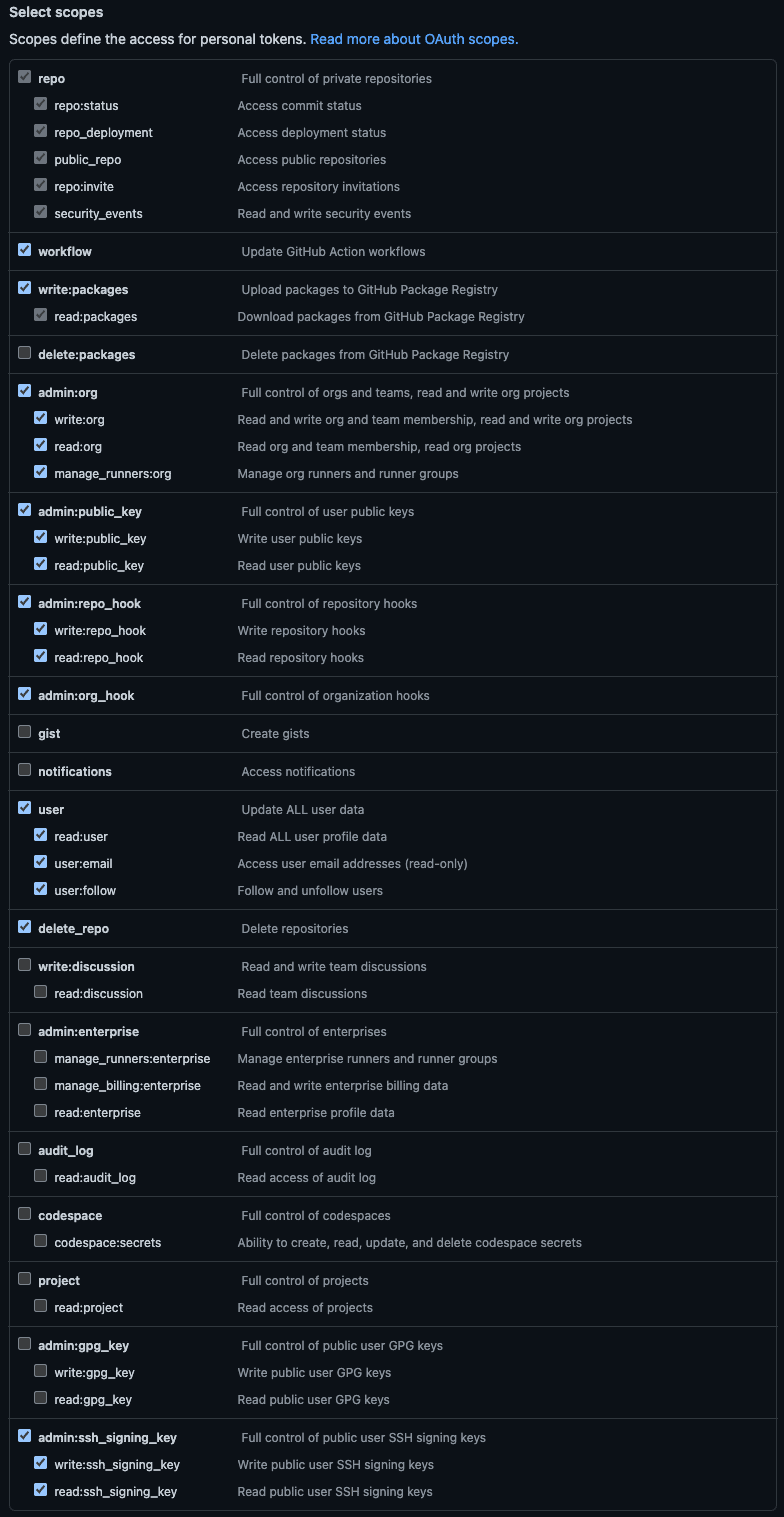
Konstruct needs the following scopes or scopes groups:
| Scope | Scope Permission | Konstruct Usage |
|---|---|---|
| repo | Full access to public & private repositories | Creating repositories on cluster creation and managing GitOps repositories |
| workflow | Add & update GitHub Actions workflow files | Creating workflows that help manage your cluster and repositories |
| write:packages | Upload & publish packages in GitHub Packages | Creating application packages (e.g., metaphor) |
| admin:org | Fully manage the organization | Managing users and access with Infrastructure as Code |
| admin:public_key | Fully manage public keys | Needed for the Konstruct service account to take action in the repositories created for you |
| admin:repo_hook | Full access to repository hooks | Creating hooks to subscribe to GitHub events (e.g., comments, pull requests) |
| user | Grants read & write access to profile info | Retrieving the user profile to display in the console UI and validate the used token |
| delete_repo | Delete repositories | Deleting repositories managed by Infrastructure as Code |
You can read more about the scopes in the GitHub documentation.
These scopes and permissions are the minimum requirement for Konstruct to function properly.
If you have security concerns we recommend creating a new GitHub user or organization for testing Konstruct.