Konstruct CLI
The Konstruct CLI drives the platform from a terminal: deploy an application, check whether a deployment landed, manage environments and workload clusters, and read anything the dashboard shows.
It ships as the @konstructio/konstruct-sdk npm package and installs two commands, konstruct and konstruct-sdk. They are the same program.
The CLI is in beta. Commands, flags, and output may change between releases.
Prerequisites
- Node.js 24.11.1 or later.
- A Konstruct account with at least the Developer role in the organization you want to work in.
Install
Run it without installing anything:
npx @konstructio/konstruct-sdk@latest whoami
Or install it once, so you can type konstruct:
npm install -g @konstructio/konstruct-sdk
konstruct whoami
Every example in these pages uses konstruct. If you did not install globally, put npx @konstructio/konstruct-sdk@latest in its place.
Sign In
Choose one of three ways to authenticate. The CLI checks them in this order, so an environment variable always wins over a stored session.
Browser Login
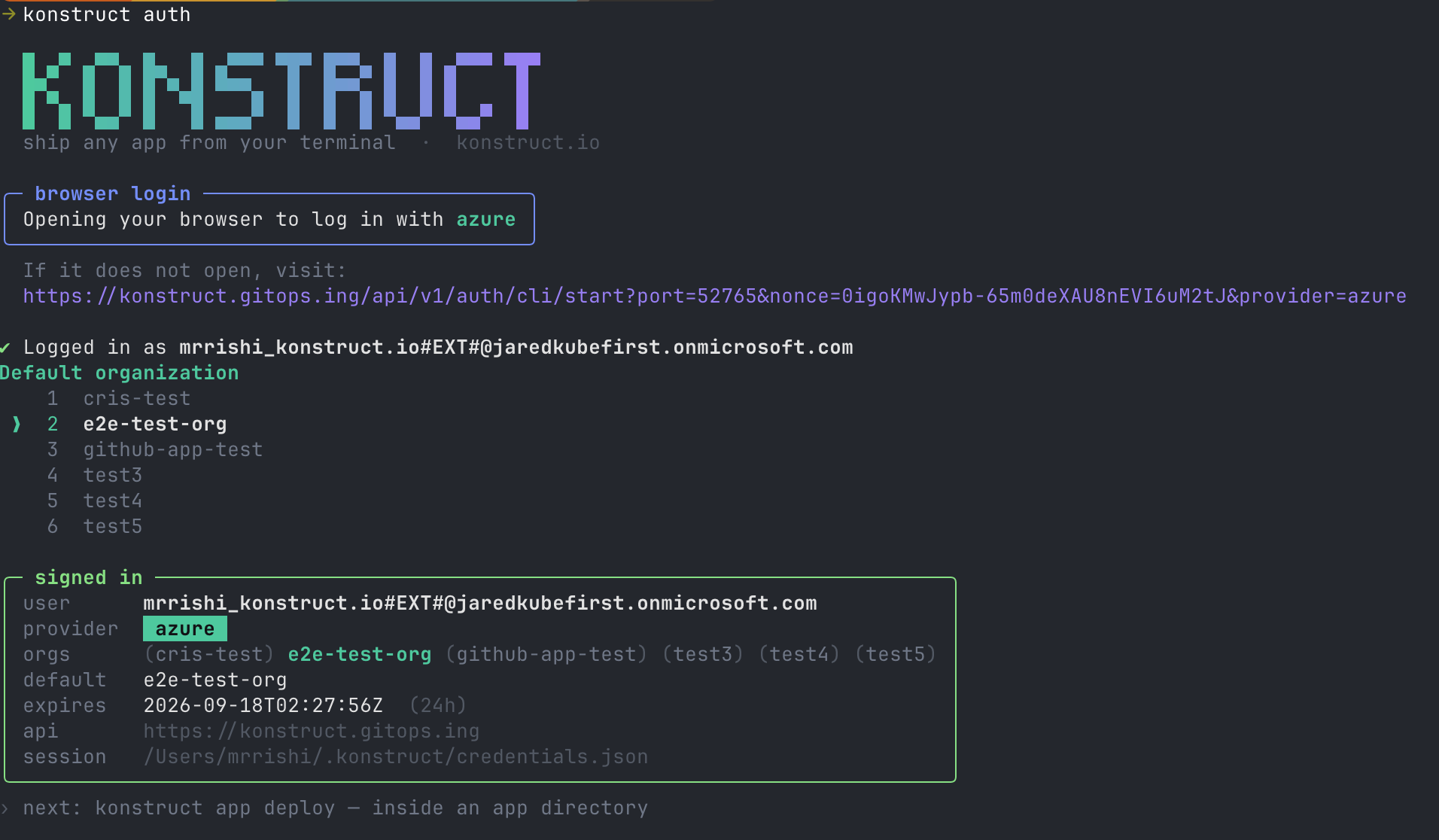
Best for a laptop. Opens your browser, then stores the session on this machine. When you belong to more than one organization it asks which should be the default, and prints where the session was written.
konstruct auth
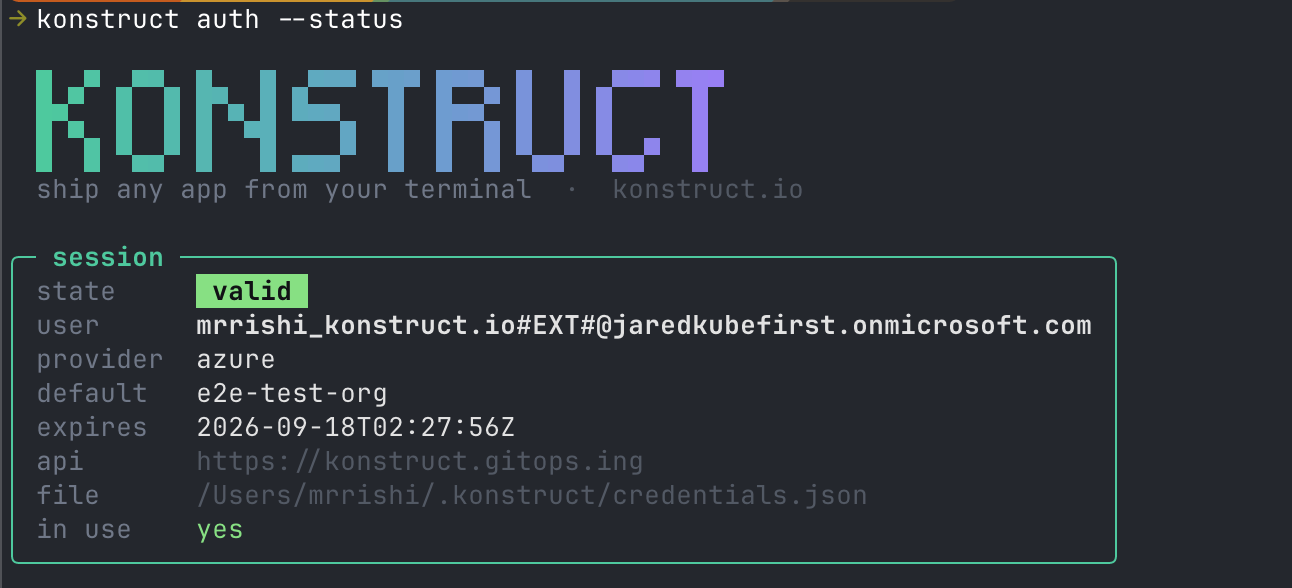
Check it later without logging in again:
konstruct auth --status
API Key
Best for CI, scripts, and any machine with no browser. Generate a key on the API keys page, then export it:
export KONSTRUCT_API_URL=https://konstruct.example.com
export KONSTRUCT_API_KEY=konst_api_xxxxxxxx
export KONSTRUCT_ORG=my-org
Stored Configuration
Prompts for the same three values and saves them, so you do not have to export anything again:
konstruct setup
Confirm whichever you chose:
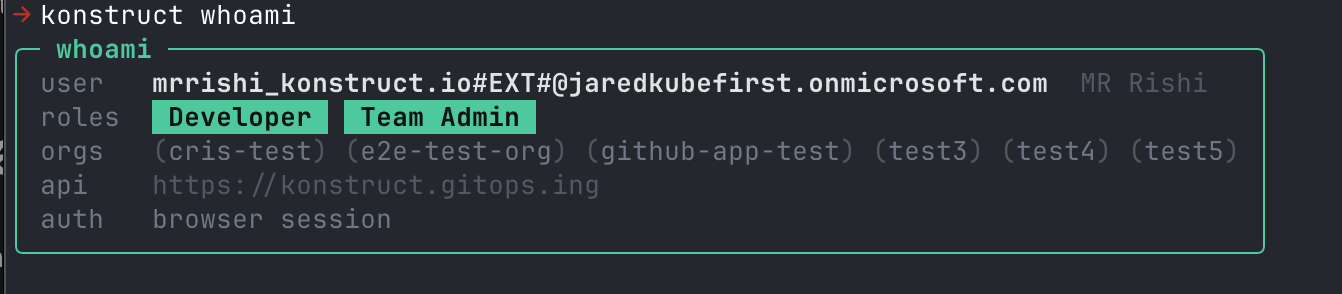
konstruct whoami
It prints the identity behind your credentials, the roles it carries, the organizations it can reach, and which of the three layers answered:
Sessions expire. When auth --status reports an expired session, run konstruct auth again.
Choose an Organization
Almost every command works inside one organization. The CLI resolves it from --org, then KONSTRUCT_ORG, then the default saved by konstruct setup. When it cannot resolve one and you are at a terminal, it asks.
konstruct platform-app list --org my-org
Two Surfaces
Konstruct exposes two delivery models, and the CLI keeps them apart. They are different resources, not two views of one.
| You want to | Use | Read |
|---|---|---|
| Push the code in your working directory and get a URL — a Konduit app | konstruct deploy | Deploying Konduit apps |
| Register a repository and promote versions through environments with GitOps | konstruct platform-* | Platform commands |
The platform- prefix is what makes the difference legible at the call site. konstruct deploy ships a Konduit app; konstruct platform-app deploy deploys a version of a registered application through the GitOps pipeline. An app deployed one way never appears in the other.
Conventions
These hold across every command. The reference covers them in full.
- Name a target either way on the platform commands.
konstruct platform-env get stagingandkonstruct platform-env get --name stagingare the same command. Theappcommands take--app_name. - Long flags only. It is
--json, never-o json. The CLI rejects short flags rather than ignoring them. --jsonon any read command prints the raw API payload, for piping intojq.--yesnever prompts. Use it in CI, where a prompt would hang.
What's Next?
- Deploying Konduit apps — get code running from your terminal, the PaaS way
- Platform commands — environments, clusters, and registered applications
- Command reference — every command, its flags, and the endpoint behind it