Git Connection
Git Connection
Konstruct connects to your Git provider to manage GitOps repositories and automate infrastructure delivery. GitHub organizations connect via a GitHub App. GitLab groups and other providers connect via a personal access token (PAT). When you connect a Git provider, Konstruct automatically creates two private repositories for managing your platform.
Prerequisites
- GitHub: A GitHub App configured for your Konstruct instance. See GitHub App Setup. The GitHub App must be installed on the GitHub organization you want to connect.
- GitLab: A personal access token with repository write access to your GitLab group.
Connect a GitHub Organization
-
Navigate to Organizations and select your organization.
-
Click the Git connection tab.
-
Click Connect and complete the GitHub App authorization flow. This redirects you to GitHub where you authorize the Konstruct GitHub App and select the organization to install it on.
-
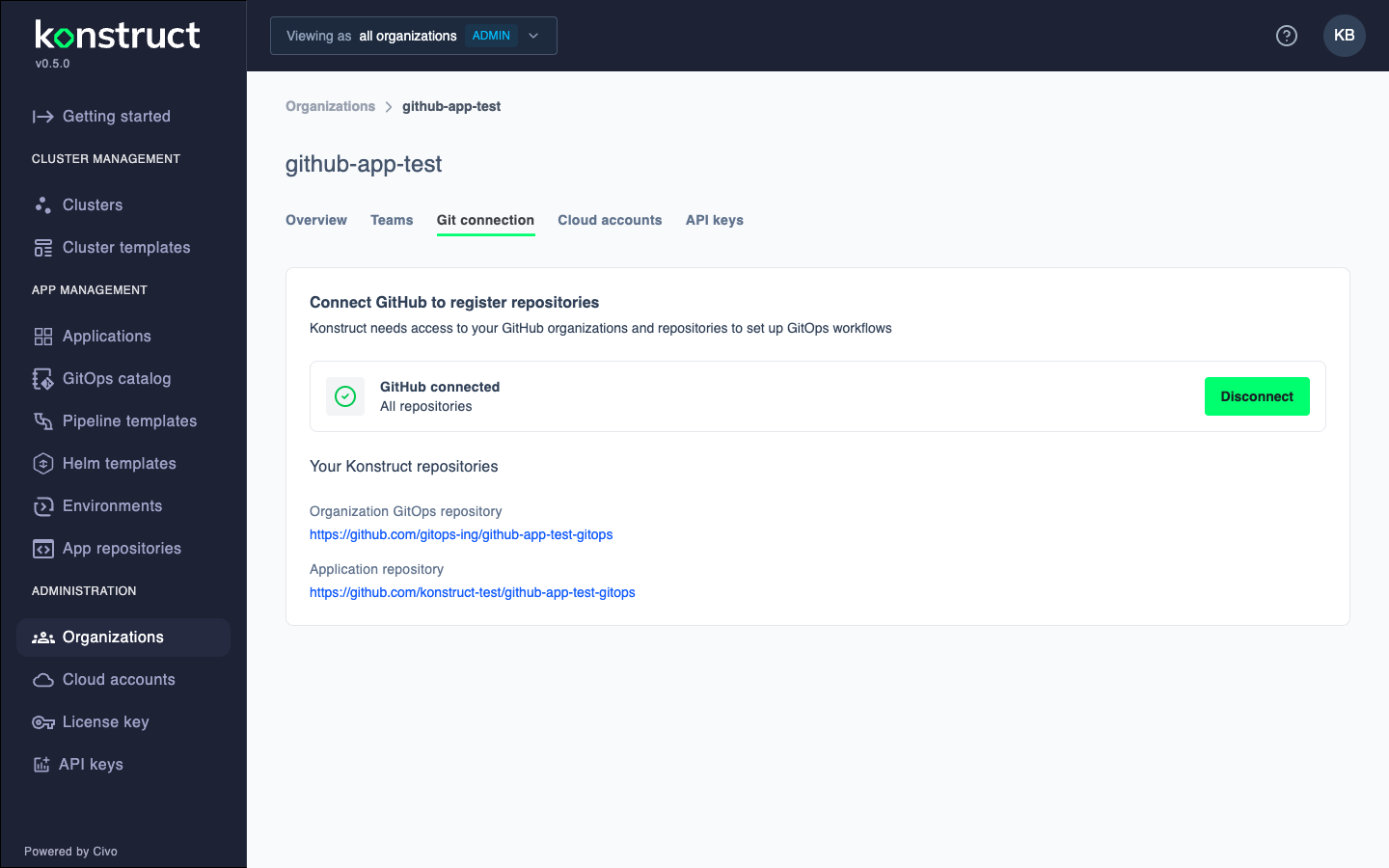
After completing the flow, you should see the GitHub connected status with your Konstruct repositories listed:
Connect a GitLab Group
- Navigate to Organizations and select your organization.
- Click the Git connection tab.
- Select GitLab as the provider and enter your GitLab group URL and personal access token.
- Click Connect. Konstruct verifies the token and creates the required repositories in your GitLab group.
Repositories Created
When you connect a Git provider, Konstruct creates two private repositories:
| Repository | Naming Convention | Purpose |
|---|---|---|
| Organization GitOps repository | orgname-gitops | Infrastructure, platform tooling, and cluster configurations |
| Application repository | orgname-gitops (in the application org) | Application delivery and deployment states |
Organization GitOps Repository
The organization GitOps repository houses your infrastructure and platform resources. As clusters are provisioned, Konstruct populates this repository with templates and registry entries from konstruct-templates, including workload cluster templates, Terraform modules, and cluster-specific configurations.
Your organization's GitOps repository includes:
catalog/directory: Reusable GitOps Catalog for infrastructure and application templatesregistry/directory: Deployed instances and environment configurationsregistry/environments/: Application deployments per environment and clusterregistry/clusters/: Infrastructure and platform tool configurations
Learn more about creating catalogs for reusable infrastructure and application templates.
Application Repository
The application repository manages application delivery. As your team's applications update with new container builds and charts, the updated versions are set in this repository. Argo CD automatically syncs those changes to your Konstruct clusters.
Disconnect
To disconnect the Git provider, click the Disconnect button on the Git connection tab.