Using Konduit
What is Konduit?
Konduit is the fastest way to get an app from a Git repository to a live URL on your platform. You pick a repository, give the app a name, and press one button. Konduit builds it, ships it through GitOps, and hands you back a link — then keeps watching the branch so every push deploys itself.
No Dockerfile. No pipeline definition. No YAML. That is the whole pitch.
Open it
- Click Konduit under Platform as a Service in the sidebar
- Pick your organization in the Viewing as switcher at the top
That's it — you're standing in your org's delivery console.
Your home base
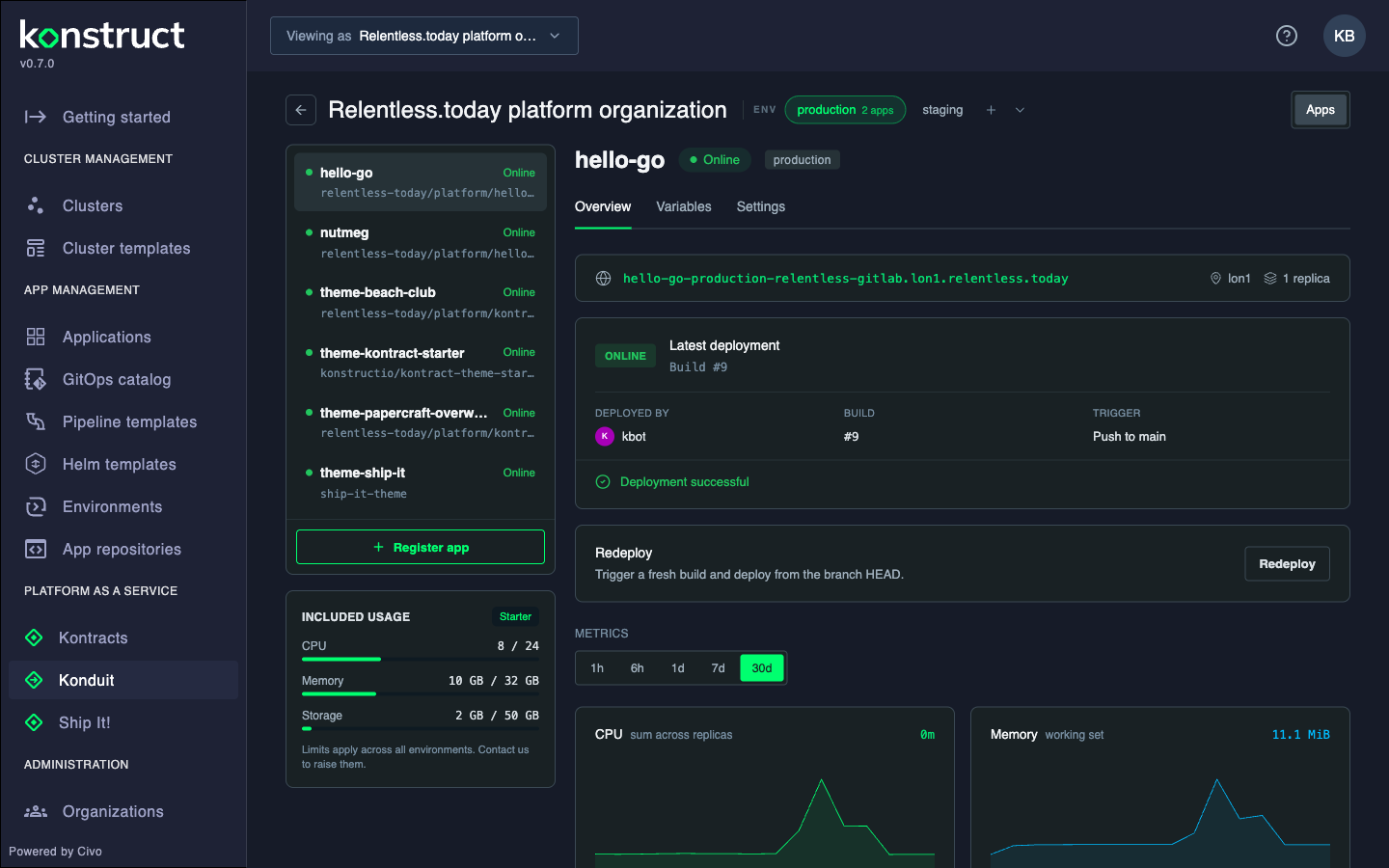
The screen reads left to right:
- Environment chips in the header (
production,staging, …) — click one to switch, click + to add another - The app rail — every app in this environment, each with a live status dot
- The app detail — the selected app's URL, its latest deployment, and its telemetry
- Included usage — your organization's shared allowance for CPU, memory, and storage. Every environment draws from this one pool
Make a place to ship to
Environments are just names — no sizes, no tiers, no per-environment caps.
- Click + next to the environment chips
- Type a name (lowercase letters, digits, and hyphens)
- Create
Every organization starts with production. Add staging, dev, or blorp — whatever your team calls its places.
Ship your first app
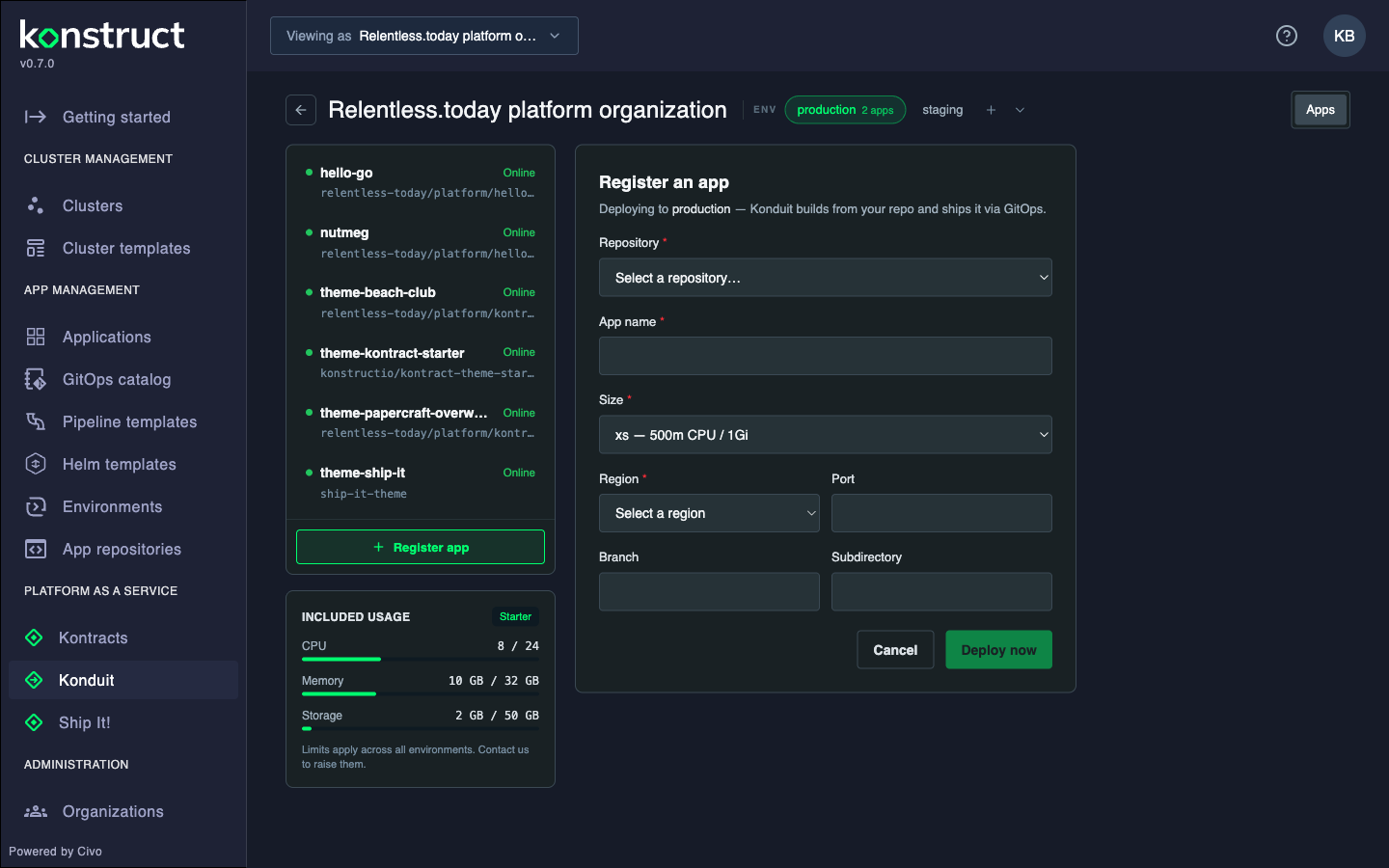
- Click Register app
- Pick a repository from your connected Git account
- Give it an app name and pick a size (the picker only shows sizes your plan includes)
- Set the region, and adjust port or branch if your app is opinionated about them
- Click Deploy now
Konduit builds the repository with Cloud Native Buildpacks — Go, Node.js, Java, Python, and anything with a Procfile just work.
Watch it come alive
The app card walks through its phases in real time:
| Phase | What's happening |
|---|---|
| Building | Your repository is becoming a container image |
| Pushing | The image is heading to the registry |
| Deploying | GitOps is syncing it to the cluster |
| Live / Online | Traffic is flowing — the URL at the top works |
| Failed | Something broke — the Logs tab has the story |
When it goes Online, click the URL. That's your app, on the internet, with a certificate. You did that with a form. If the URL shows propagating… instead of a link, wait a few seconds — Konduit is confirming it answers from the public internet before offering it, so you never land on an error page (or cache one on your machine).
Check on your app
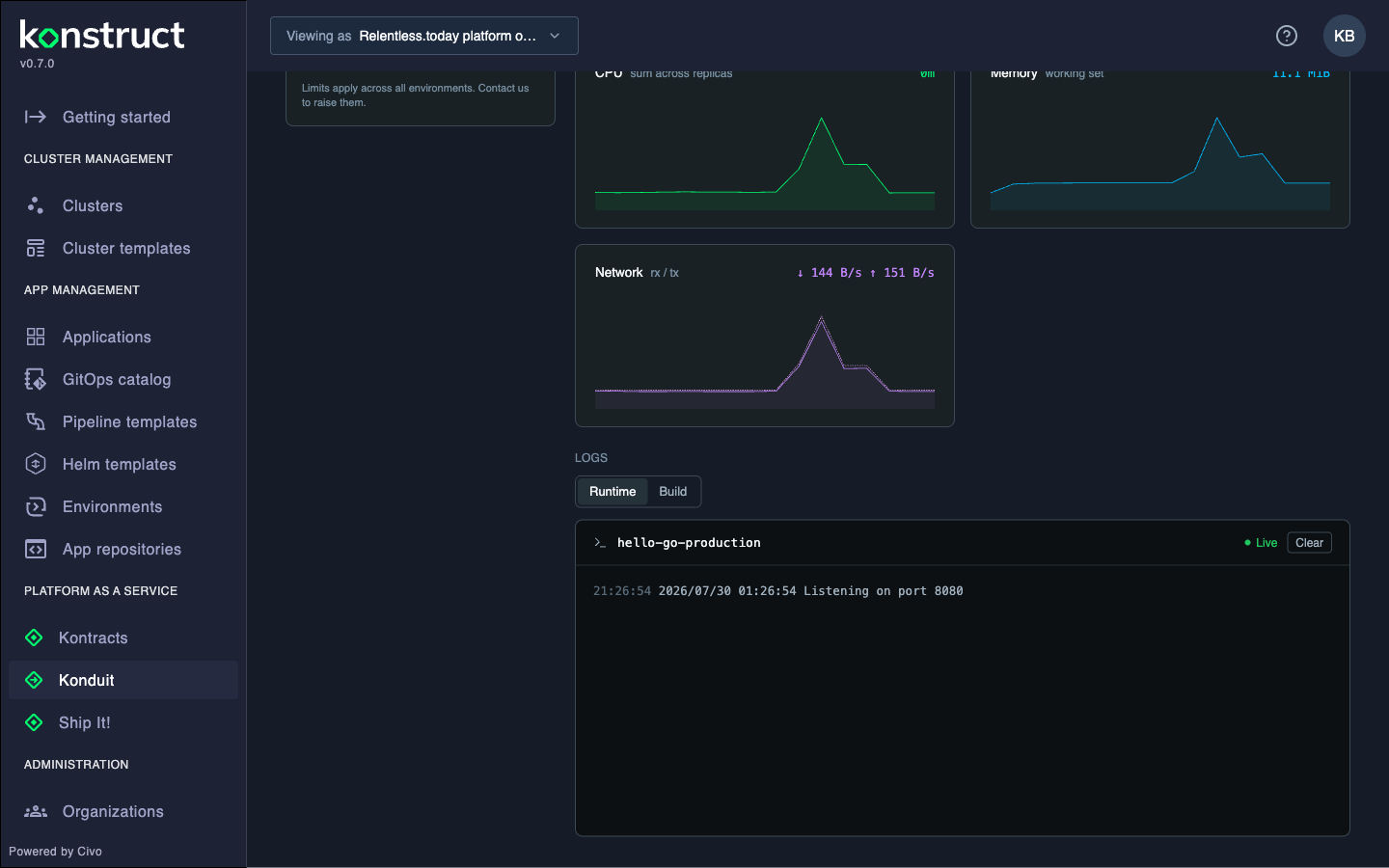
Scroll the app detail and it's all there:
- Metrics — CPU, memory, and network charts with selectable windows from an hour to 30 days
- Logs — a live Runtime stream straight from the pods, and the Build log from the latest build
- Latest deployment — who shipped it, which build, and what triggered it
Level it up
All in the app's tabs, all without a ticket:
- Scale — change replicas in Settings
- Environment variables — the Variables tab; saving triggers a redeploy
- Persistent storage — attach a volume with a size and a mount path like
/data. A volume pins the app to one replica, because disks don't like being shared - Custom domain — set your own domain, add the TXT record Konduit shows you, and verification flips green on its own
- Redeploy — one button for a fresh build from the branch HEAD
And the quiet superpower: push to the branch and Konduit redeploys automatically. That's continuous deployment with zero setup.
One more piece of quiet resilience: a failed build never takes your app down. The app keeps serving its last good version until a healthy build replaces it — fix the commit, push again, and the new version takes over.
Clean up
- Remove an app — Settings → Danger zone → Remove app. It takes the build pipeline and GitOps manifest with it
- Remove an environment — open the environment menu (the ⌄ next to the chips), hover an empty environment, and click the trash icon. Konduit refuses while apps still live there — empty it first
Extra credit
- The Included usage meter is the only capacity rule in the system. When a deploy would blow past it, Konduit says so up front instead of failing halfway
- Konduit is itself a theme contract theme — the default one. Everything it does travels through the same contract available to every theme, including the games. Speaking of which: Using Ship It! is this exact same guide, wearing a space suit