Using Ship It
What is Ship It?
Ship It! is Konduit wearing a space suit. It's a retro arcade game where planets are your environments, rockets are your apps, and launching is deploying — and none of it is pretend. Register a rocket and a real repository builds; launch it and a real URL starts serving; watch the flight telemetry and you're reading your actual pod logs.
Same platform, same rules, same data as Konduit. Just considerably more helmet.
Open it
- Click Ship It! under Platform as a Service in the sidebar
- Pick your organization in the Viewing as switcher at the top
- Insert coin (or Continue if your hero already exists)
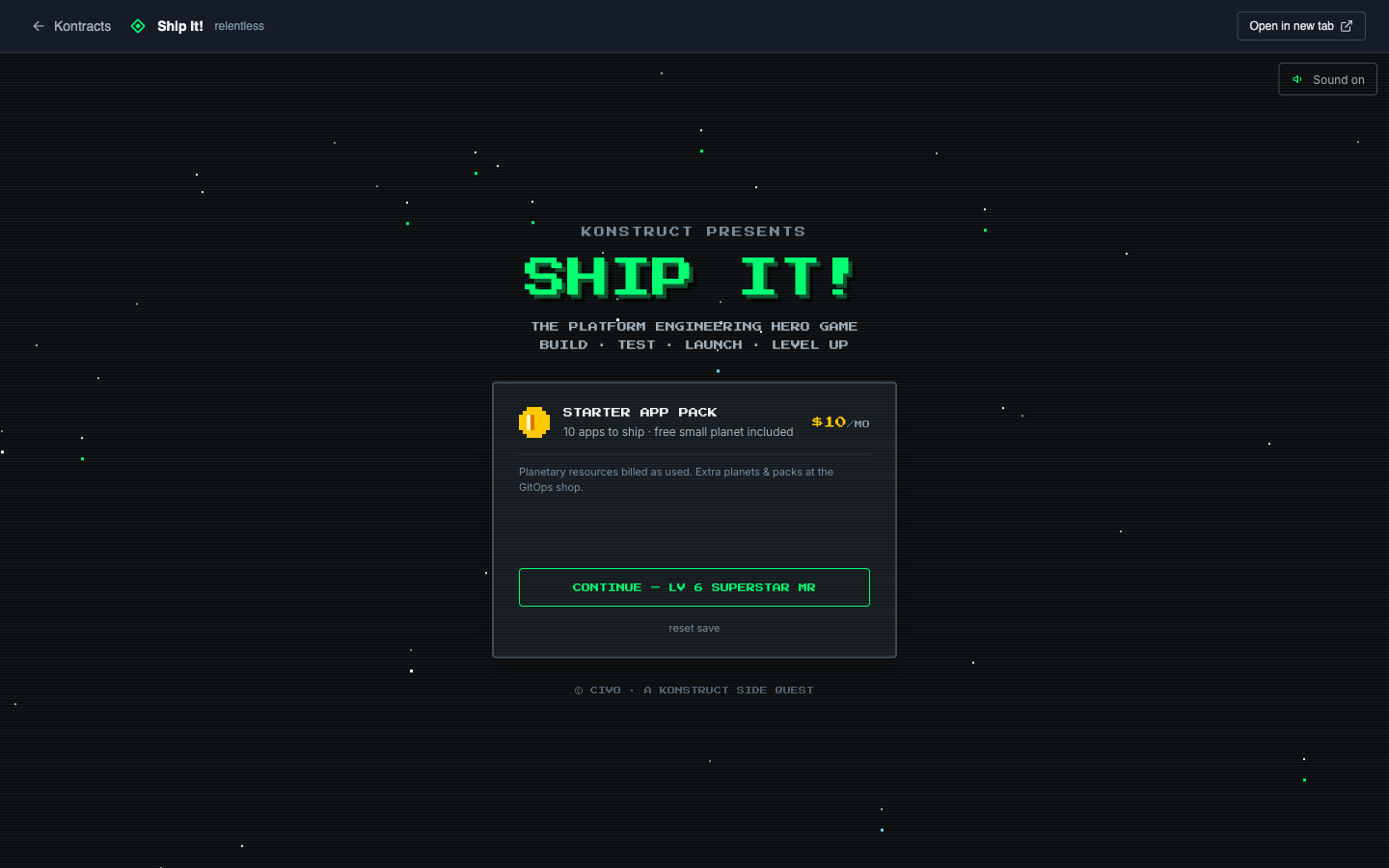
Your home base
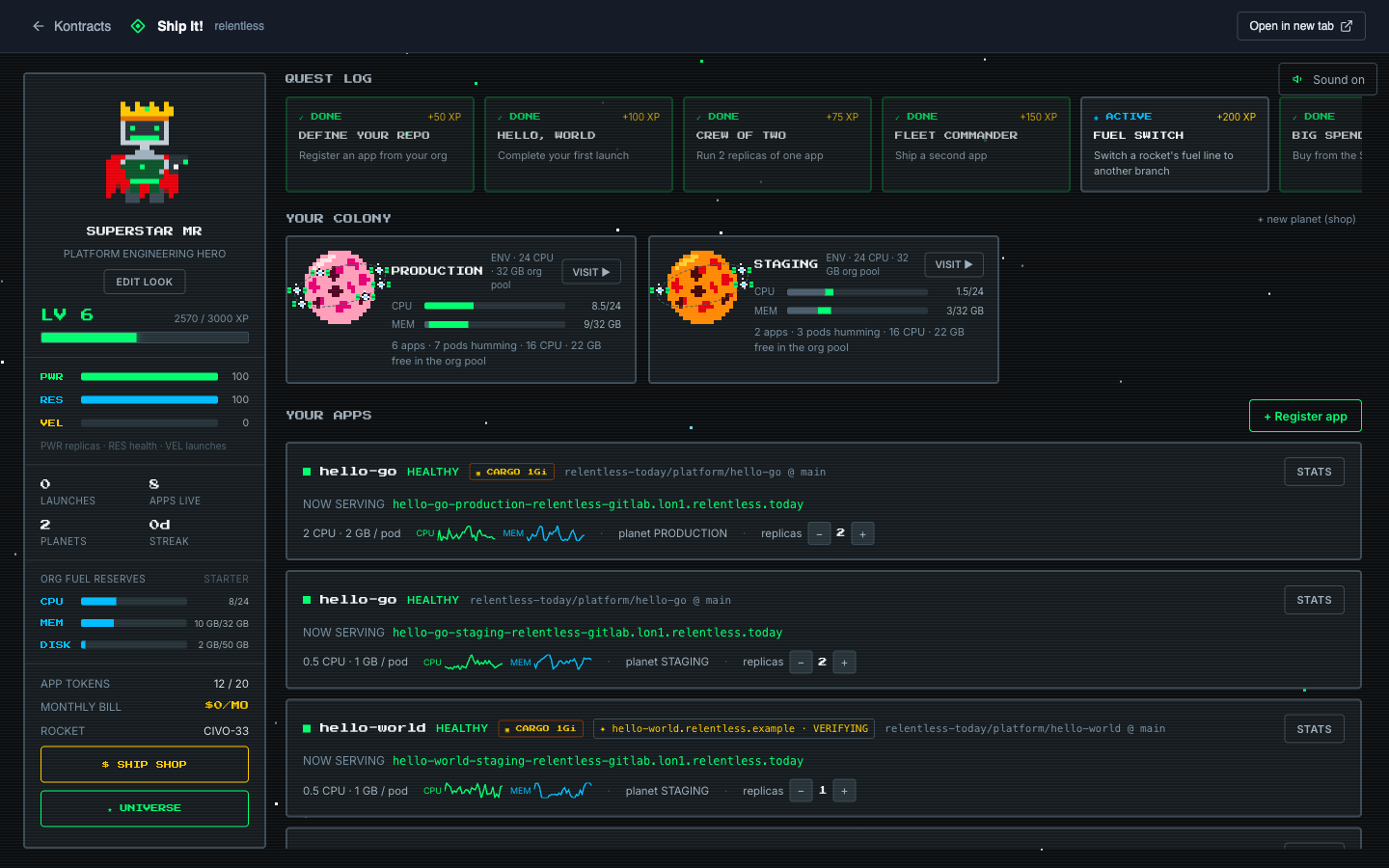
The headquarters reads left to right:
- Your hero — level, XP, and the Org fuel reserves: your organization's shared CPU, memory, and disk allowance. Every planet draws from this one pool
- Your colony — each planet is an environment; its bars show what this planet draws and what the rest of the org uses
- Your apps — each card is a real deployment with a status light, its live URL, CPU and memory sparklines, and badges for cargo (storage) and broadcast signals (custom domains)
- The quest log — XP for doing real platform work. Shipping a second app is literally a quest
Make a place to ship to
Planets are just names — no sizes, no tiers, no per-planet caps.
- Click + new planet (or find NEW PLANET in the shop — it's free)
- Name it
- Claim it
The planet appears in your colony and, seconds later, as a real environment on the platform. Konduit sees it too — same universe.
Ship your first app
- Click + Register app
- Pick a repository from your org's connected Git account
- Name your rocket and pick a Rocket class (the classes are your plan's real app sizes)
- Set the flight plan: branch, port, an optional sub path for monorepos, and — when your platform runs more than one workload cluster — a region
- Decide whether the rocket broadcasts: the Public URL toggle controls whether it gets a public address or stays reachable only inside the platform network
- Pick its planet and press go
Then comes the best part: the launch. Your hero packs protein pills, the helmet goes on, and the countdown runs — paced by the real build. The checkmarks on the cockpit terminal only turn green when the real things they describe actually happen.
Watch it come alive
The phases wear flight suits, but they're the same phases:
| In the game | On the platform |
|---|---|
| Shaping / Watching main | Registered, waiting on the build |
| In flight | Building and pushing the image |
| Riding / Healthy | Live — the NOW SERVING link works |
| Wiped out | Failed — the flight log has the story |
When NOW SERVING lights up, click it. Real URL, real certificate, real app. If it shows ⧗ signal propagating instead, hold — the platform is confirming your URL answers from the public internet before it clears you to click. Clicking a link before it propagates can cache the failure on your own machine for up to half an hour.
Check on your rocket
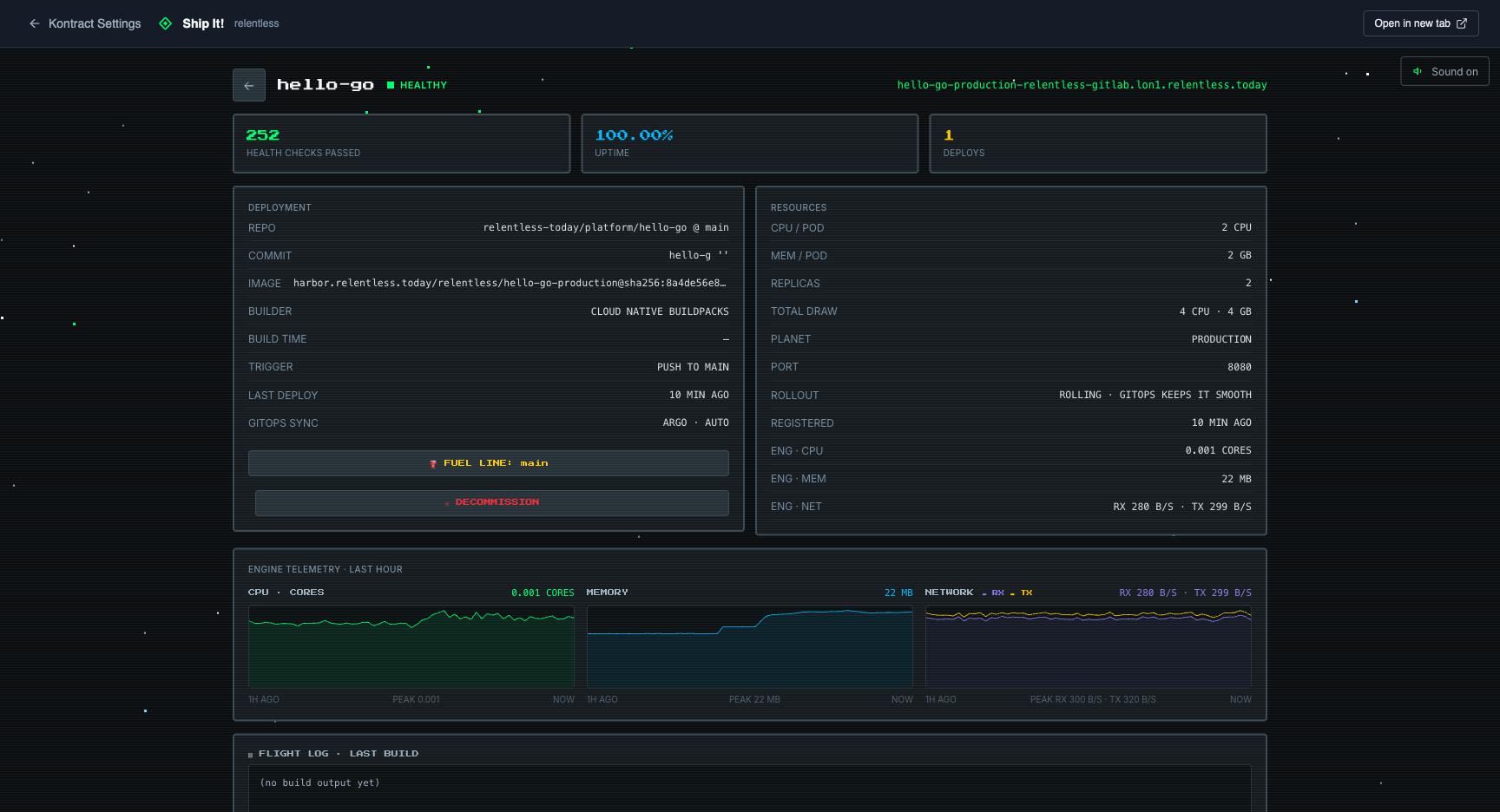
Click STATS on any rocket:
- Engine telemetry — CPU, memory, and network charts for the last hour, with limit ceilings drawn in
- Flight log — the rocket's real deployment history: every build the platform ran, why it ran (a push to your branch, a manual relaunch, a config change), and how long it took
- Build output — the latest build's log tail
- Flight telemetry — a live stream of the rocket's runtime logs, straight from the pods
Level it up
All from the rocket's detail screen:
- Scale — the replicas stepper on the app card; each replica is a satellite in orbit
- Cargo hold — attach persistent storage at
/data. A loaded rocket locks to one replica, and its satellite visibly carries the crate - Broadcast signal — serve from your own domain. Enter it, add the TXT record shown, and the beacon turns green when verification lands
- Silent running — flip the Public URL switch after launch, too. Broadcasting gives the rocket its public address; silent running keeps it internal-only
- Fuel line — switch which branch feeds the rocket
- Relaunch — launching an already-live rocket triggers a real redeploy
And the quiet superpower: push to the branch and the rocket relaunches itself. GitOps never sleeps.
Clean up
- Decommission a rocket — on its detail screen; press twice, because the game refuses to let you delete things by accident
- Decommission a planet — on the planet's screen, empty planets only. The platform refuses while rockets still live there — same rule as Konduit, more dramatic wording
Extra credit
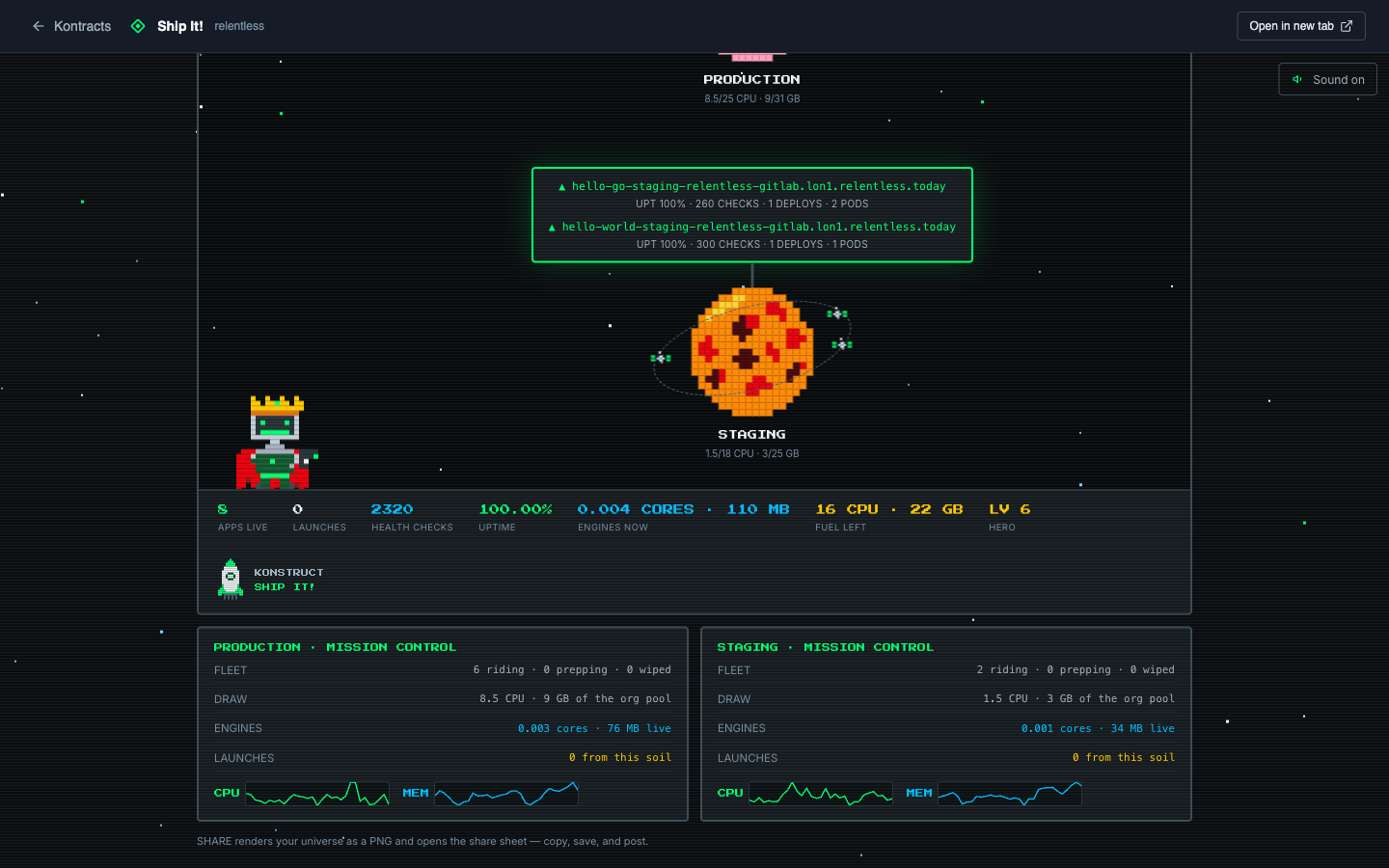
- The universe — one screen with every planet, every serving URL, and with STATS ON a mission control board per planet: fleet counts, pool draw, live engine readings, and aggregate CPU and memory graphs
- Share on LinkedIn — renders your universe as a card and opens a draft that carries the image. Brag responsibly
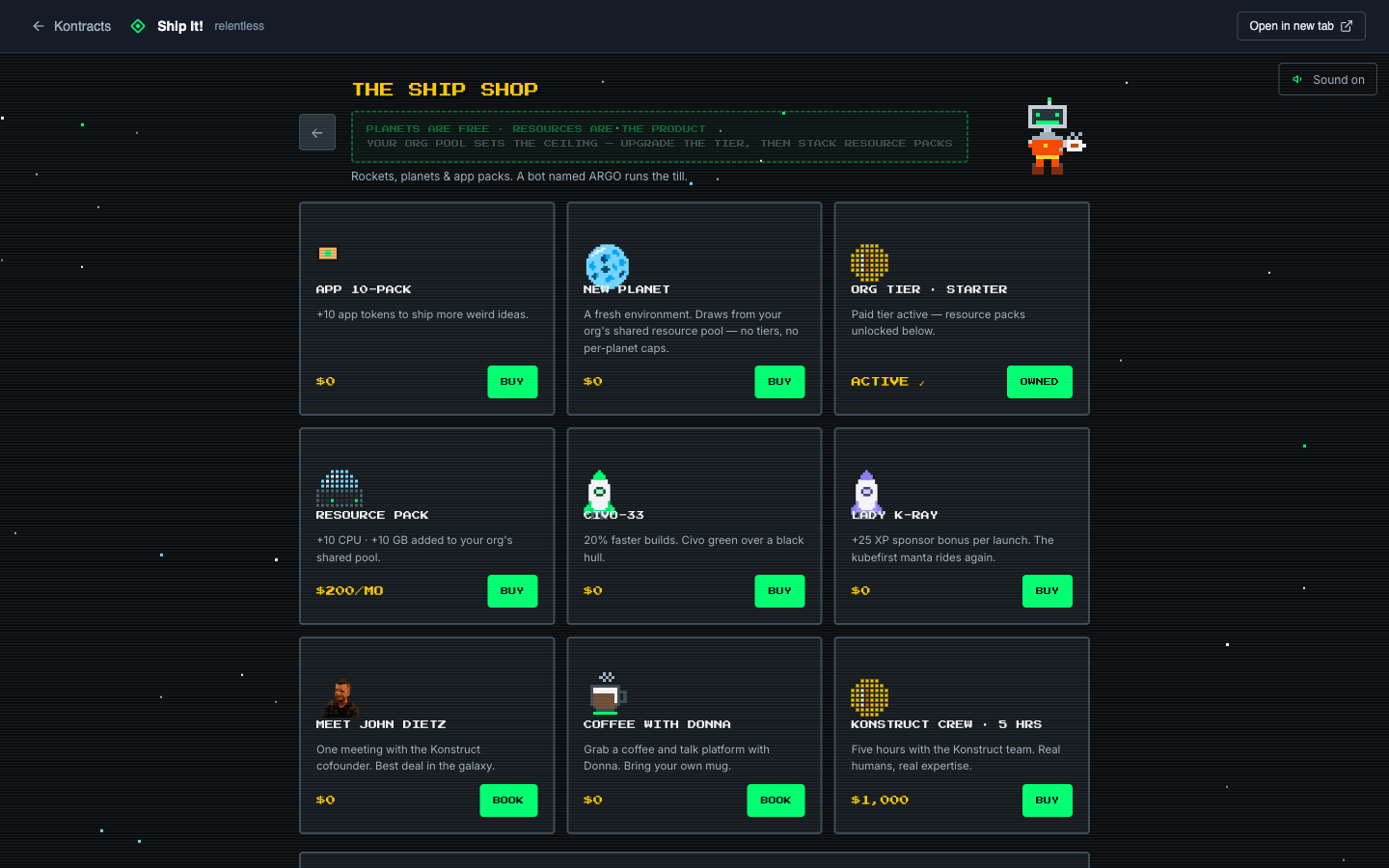
- The Ship Shop — planets are free; resources are the product. Resource packs price from your platform's real rates, the CIVO-33 and Lady K-Ray are yours to fly, and you can book actual humans (the best deal in the galaxy is real)