Connecting a Cloud Account
Before Konstruct can provision and manage Kubernetes clusters, it needs credentials for your cloud provider. Cloud accounts store these credentials securely and make them available when creating management and workload clusters.
Konstruct supports the following cloud providers:
- AWS — provide an IAM ARN that grants Konstruct permission to manage EKS clusters
- Civo — provide an API auth key from your Civo account
The Cloud Accounts Page
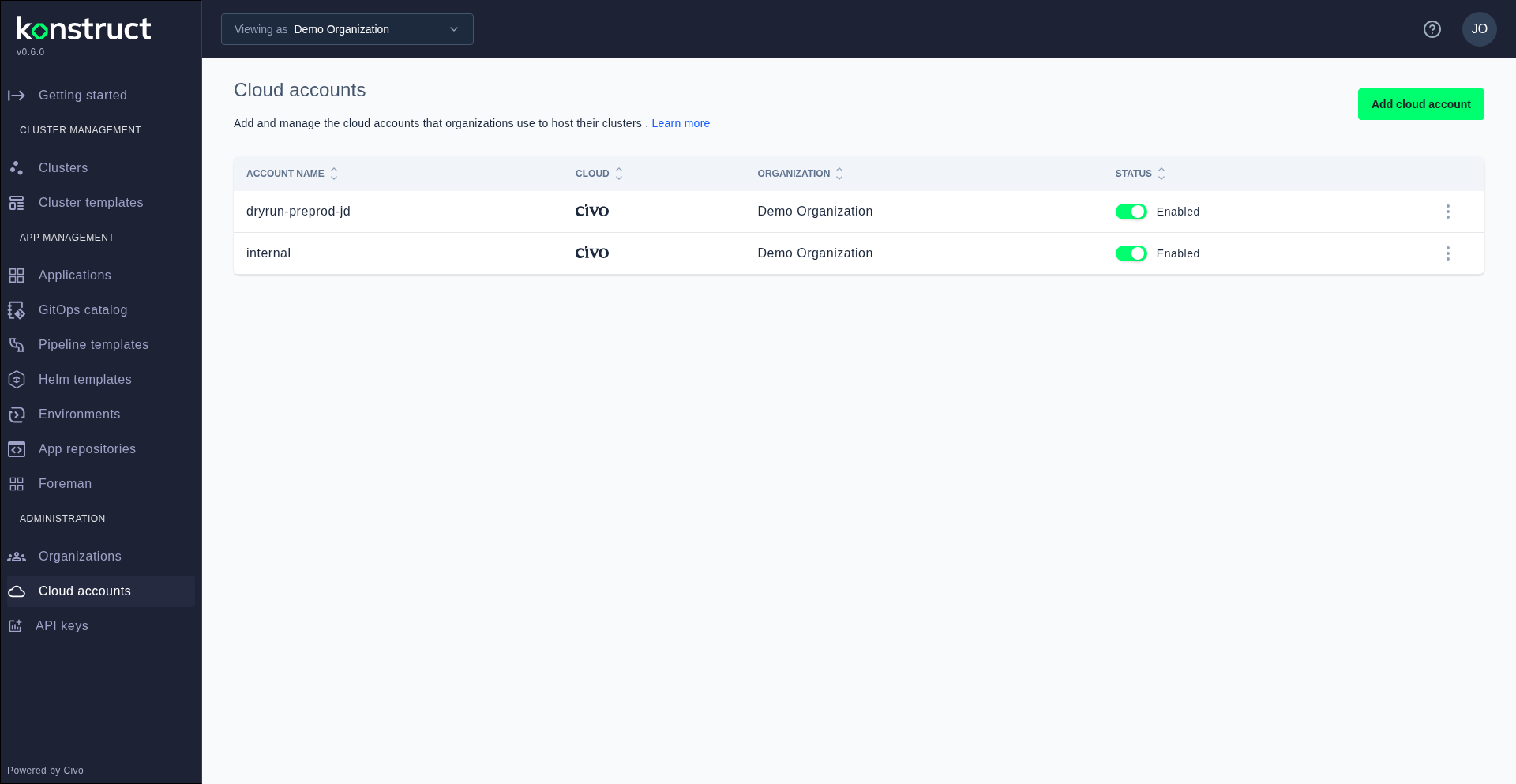
Navigate to Cloud accounts in the sidebar to see all cloud accounts registered to your organization. Each account shows its name, cloud provider type, and the organization it belongs to.
Adding a Cloud Account
Click Add cloud account to register a new cloud provider. The form adapts based on the provider you select:
- AWS: Enter a name for the account and the IAM ARN that Konstruct will assume to manage your infrastructure
- Civo: Select "Civo" from the cloud provider dropdown, then enter a name and your Civo API auth key
After submitting, Konstruct validates the credentials and adds the cloud account to your organization. It's immediately available for use when creating clusters.
You can register multiple cloud accounts — even across different providers — to support multi-cloud cluster provisioning within a single organization.