Connecting a Git Provider
Konstruct uses a Git provider integration to manage GitOps repositories, application source code, and pipeline configurations. Each organization needs its own Git connection to enable these capabilities. Konstruct supports both GitHub (via GitHub App) and GitLab (via OAuth).
The Git Connection Tab
To set up the connection, navigate to Organizations in the sidebar, click your organization name, and open the Git connection tab.
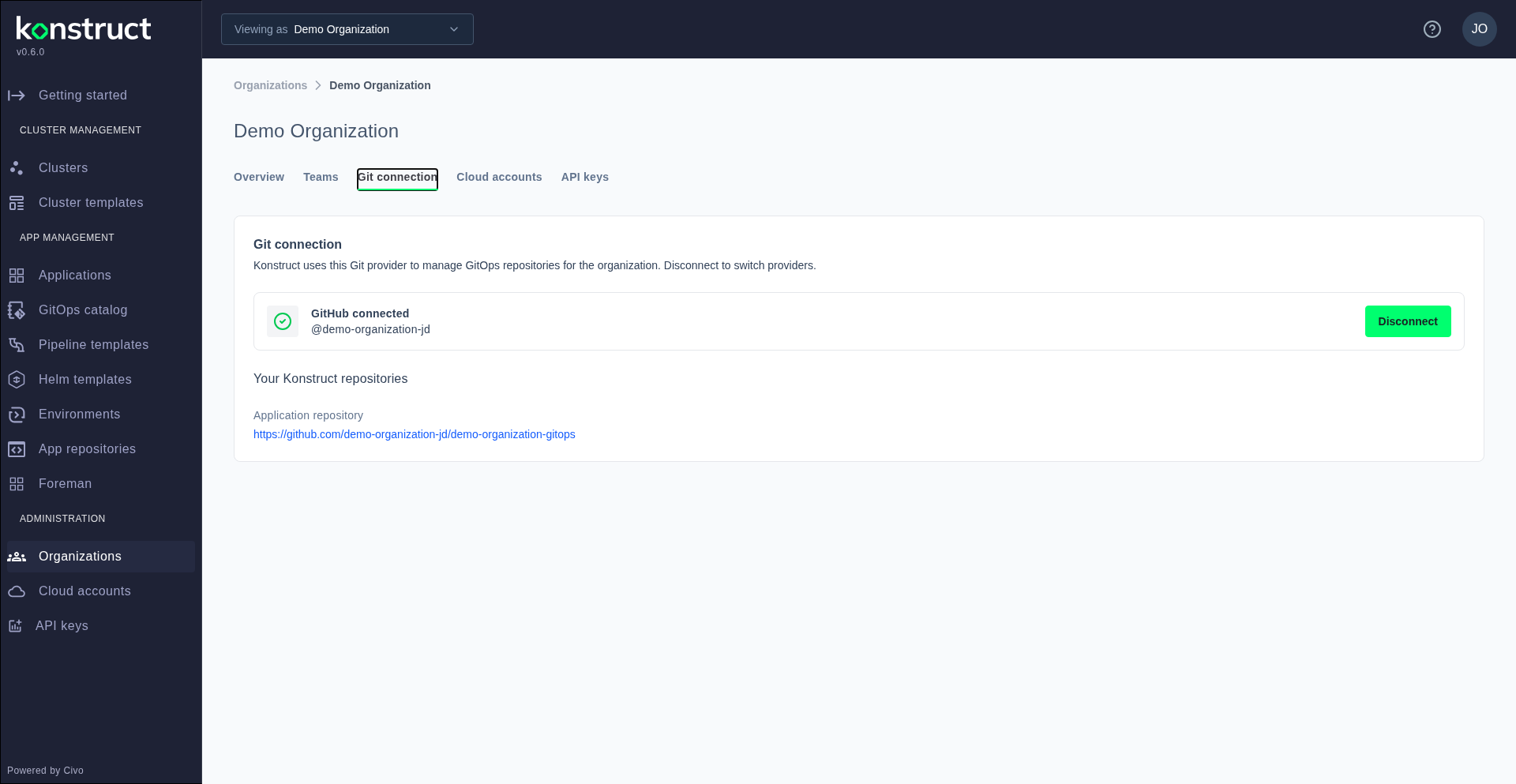
This page shows the current connection status and available Git providers. Konstruct creates and manages GitOps repositories under the Git provider connected to your organization.
Connect Your Git Provider
- GitHub
- GitLab
Click Connect next to GitHub to begin the GitHub App OAuth flow. You'll be redirected to GitHub where you can:
- Authorize the Konstruct GitHub App with your GitHub account
- Select which GitHub organization to install the app to
- Choose repository access — grant access to all repositories or select specific ones
After completing the installation, GitHub redirects you back to Konstruct. The Git connection tab will update to show Connected status.
The Konstruct GitHub App needs permission to create and manage repositories in your GitHub organization. It uses these permissions to:
- Create GitOps repositories that store cluster and application configurations
- Read application source code for pipeline templates
- Manage webhooks for continuous deployment triggers
Watch the GitHub connection flow
Click Connect next to GitLab to begin the GitLab OAuth flow. You'll be redirected to your GitLab instance where you:
- Authorize Konstruct with your GitLab account
- Select the GitLab group to use as the organization namespace
After authorization, Konstruct mints a Group Access Token (11-month expiry, api + read_repository + write_repository scopes) and stores it as a platform git config secret. The Git connection tab will update to show Connected status.
The Group Access Token gives Konstruct permission to:
- Create GitOps repositories under the selected GitLab group
- Create sub-groups as organization namespaces
- Read application source code for pipeline templates
- Manage CI/CD pipeline configurations